To enhance accessibility and compliance with university-approved tools, I was tasked with reconstructing multiple interactive elements from Articulate RISE into H5P for a non-credit course on Implicit Bias. This project required a meticulous one-to-one recreation process while adhering to accessibility standards, branding guidelines, and instructional design best practices.
This project strengthened my expertise in:
- Instructional content reconstruction – Adapting interactive elements from proprietary tools while preserving pedagogical intent.
- Accessibility and compliance – Ensuring all interactive elements met university standards.
- Collaborative project execution – Working across departments to align with institutional needs.
- LMS integration – Embedding H5P interactions within Canvas Catalog for a seamless learner experience.
Key Contributions
Interactive Content Reconstruction
- Successfully rebuilt 12 interactive elements from Articulate RISE into H5P:
- 3 Virtual Tours (interactive infographics with hot spots for engagement).
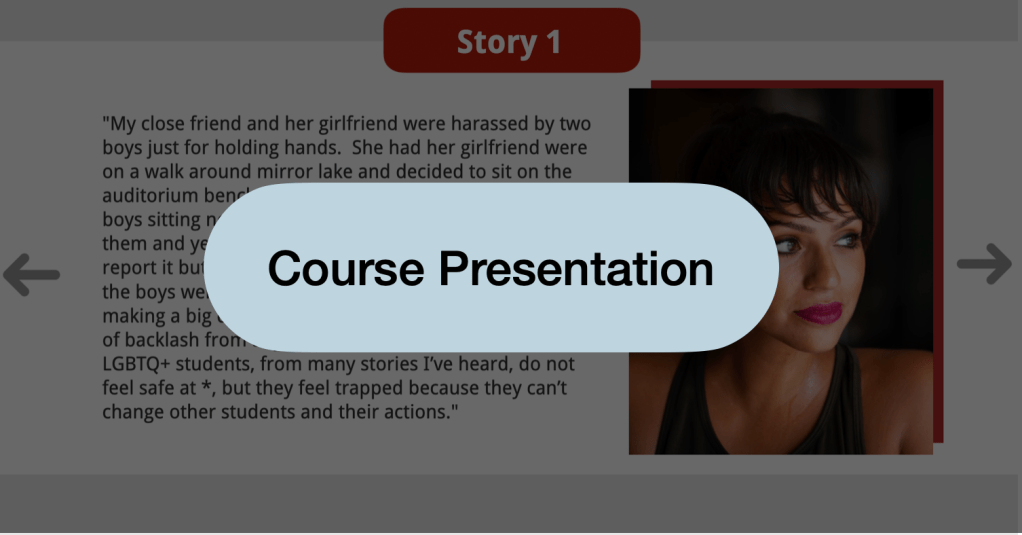
- 4 Course Presentations (interactive slides for knowledge checks and content reinforcement).
- 4 Question Sets (ungraded self-check assessments).
- 1 Accordion (collapsible content for structured reading).
Collaboration & Accessibility Compliance
- Worked closely with another department within the College of Education and Human Ecology to obtain necessary Articulate RISE files and ensure alignment with the original course design.
- Ensured all reconstructed interactions met institutional accessibility standards, incorporating:
- Alt text for images and descriptive labels for interactive elements.
- Keyboard navigation and screen reader compatibility.
- H5P style guide compliance for consistent user experience.
Representation, Branding & LMS Integration
- Prioritized diverse representation of students within visual elements to ensure an inclusive learning experience.
- Followed the university’s marketing branding colors for visual consistency across interactions.
- Embedded all H5P interactions seamlessly within Canvas Catalog, ensuring a cohesive learner experience.
Portfolio Examples & Instructional Impact
To showcase the variety of interactive elements I reconstructed, I included three key examples in my portfolio:
- Course Presentation – Used as an interactive knowledge check in the middle of a lesson.
- Question Set – An ungraded self-assessment at the end of a lesson.
- Virtual Tour – A visually engaging infographic with hot spots, enhancing interaction during a short lesson.
These examples highlight my ability to adapt instructional content across platforms, maintain high standards of accessibility, and create engaging, interactive learning experiences within university-approved tools.


 Channell Walker