Asana Workflow Specialist Certification
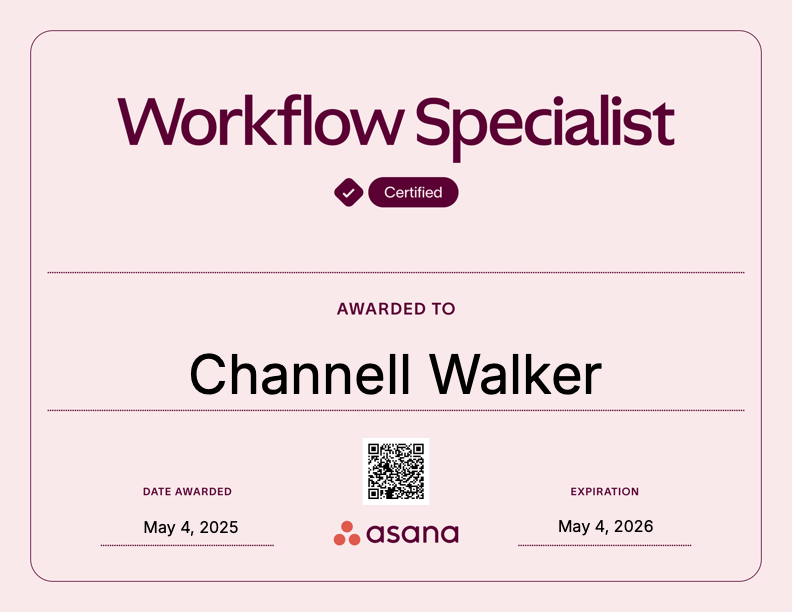
Description: Build Ongoing Process and Deadline-Specific workflows using Asana. This certification covers:
- building, deploying, and socializing workflows across departments
- Creating automations for templatized tasks
- evaluating a tool stack
- supporting an organizations goals through various milestones, projects, and tasks
Microsoft Power Automate Essential Training
Description: Build automations for communications in Outlook for events.
View Power Automate Certificate
Applying the Quality Matters Rubric (APPQMR)
Description: The official Quality Matters training to review online courses.
View Quality Matters Certificate
LinkedIn Learning Instructional Designer Learning Path:
- The Neuroscience of Learning
- Description: “Tap into your hidden potential, with discoveries from the neuroscience of learning. Dr. Britt Andreatta, director of training and development at lynda.com, uses the latest research from Harvard, Stanford, and other leading research institutions to explain how the brain processes and stores new information. She introduces the three-phase model of learning and the secrets to developing neural pathways so that learning sticks. Intended for both those who teach or train and those who learn, this course is a fun and enlightening journey through the learning process.”
- Models of Instructional Design
- Description: “Instructional design models are frameworks to help you create quality training. In this course, author and instructional design expert Shea Hanson explores some of the most salient models of instructional design: ADDIE, SAM, Rapid Prototyping, and Gradual Release. Watch scenarios that show how each model performs in action in the workplace, which Shea follows with an examination of its pros and cons. She also provides some helpful resources that will lead to your next step.”
- Needs Analysis
- Description: “Need to understand the training requirements of your learners? A needs analysis is the first step of any ADDIE-aligned instructional design process. Join Jeff Toister in this installment of Instructional Design Essentials and learn the three-step process to conducting a needs analysis that will accurately capture and define the goals of your project. Jeff brings his 20+ years of instructional design experience to bear, and helps you set clear goals with project sponsors, gather data from participants quickly, and analyze the data to identify gaps in your current system and goals for your future one.”
- Storyboarding
- Description: “Want to talk about making your instructional design process more efficient? It’s time to talk about storyboarding. Storyboards help designers, teachers, and developers collaborate and translate their ideas into relevant elearning experiences. Daniel Brigham shows you three common methods for storyboarding: using text, mockups, and rapid-prototyping tools. Discover what storyboarding can do for your elearning, and best practices for sharing storyboards with others.”
- Adult Learners
- Description: “Adult learners have specific needs that have to be considered during the instructional design process. In this course, one in a series on instructional design, Jeff Toister explores the best practices and techniques that will help designers work with, and train, adult learners. Explore the theory behind adult learning, discover techniques to increase active (vs. passive) learning, see how to identify and surmount barriers to learning, and get additional resources for developing training for adults.”
- Creating Video Training
- Description: “In this course, Garrick Chow shares the tips, tricks, and training techniques he’s learned from over twelve years of leading video training for lynda.com. First, he explains how video training differs from classroom instruction, and shows how to plan your content to anticipate your audience’s needs and questions. Garrick then walks through the process of writing meaningful objectives, scripting movies, and selecting software and a good location for recording, and goes over the delivery styles that create successful elearning experiences. Finally, learn how to edit your videos, and share them with students.”
- Working with SMEs
- Description: “Do you work with subject matter experts (SMEs)? Discover the secrets to translating their knowledge into engaging instructional content. Jolie Miller explores getting to know SMEs—setting both of you up for success and productivity—as well as arranging logistics, outlining the content, and delivering the project to the SME’s and the audience’s satisfaction, while keeping the content factually correct and interesting.“The course also shows you how to set up project schedules, overcome common obstacles, and use a variety of approaches to ensure that the content you build together will be stronger than the content either of you would build alone. The lessons are framed by a fictional ID/SME relationship that models how the two partners work together to create a customer-service training session.”
- Description: “Do you work with subject matter experts (SMEs)? Discover the secrets to translating their knowledge into engaging instructional content. Jolie Miller explores getting to know SMEs—setting both of you up for success and productivity—as well as arranging logistics, outlining the content, and delivering the project to the SME’s and the audience’s satisfaction, while keeping the content factually correct and interesting.
- Introduction to Screencasting
- Description: “Discover the principles and tools companies around the world use to share and record their screens and create engaging elearning content. Get an overview of screencasting and elearning, design considerations for your screen-capture training, and the most popular tools on the market, including Captivate, Articulate Studio, Articulate Storyline, Lectora Inspire, and Camtasia Studio. David Rivers will not only help you capture what’s on your screen, but also show you how to add interactivity, heighten visual interest, and build quizzes with each program. Watch now to compare these applications and decide which one is right for you.”
- Agile Instructional Design
- Description: “Many instructional design and development processes produce ineffective products, often accompanied by delayed timelines and cost overruns. Agile instructional design applies the SAM (Success Approximation Model) principles to training development, which results in meaningful and effective learning experiences that help the learner as well as meet the needs of stakeholders. In this course, Richard Sites explores how to apply an agile process to instructional design. Learn how to start savvy, document your ideas, prototype course content, build your design, and review your instruction for any missed opportunities. Dr. Sites also shows how to align your current process with SAM and become an effective leader of agile and iterative training and development projects.”
- Teaching Techniques: Writing Effective Learning Objectives
- Description: “Setting clear expectations is the foundation to good instruction and the key to helping students achieve desired learning outcomes. In this course, John-Paul Ballard shows how to write learning objectives for any situation, while exploring learning objective structure, theory, and examples of strong and weak objectives. He explores how learning objectives vary according to audience and deployment—elearning, online tutorials, classrooms, webinars, and more—and how to tie them to learning assessments.”
- Measuring Learning Effectiveness
- Description: “Determine the ROI for learning. Discover how to evaluate whether learning objectives are being met in your organization. In this course, Jeff Toister explores several popular models for determining the effectiveness of a class or training course, and provides a framework for applying these models. This includes creating an evaluation strategy, collecting assessment data, and making recommendations for improvements. The Kirkpatrick Model, the Phillips ROI Methodology, and Brinkerhoff’s Success Case Method are discussed in depth, as well as alternative approaches such as predictive analytics. These tools will give you the data to validate your current training strategy or recommend data-driven improvements that are tailored to the way your participants are actually learning.”
LinkedIn Learning Instructional Developer Learning Path:
- Learning SCORM and Tin Can API
- Description: “SCORM, the Sharable Content Object Reference Model, integrates elearning content into learning management systems (LMSs), whether they’re proprietary or purchased off the shelf, and is foundational knowledge for elearning creation.”This course introduces the what, why, and how of SCORM, and the tools for creating SCORM-compliant content. Author David Rivers also covers the second generation of compliance integration, the Tin CAN API (aka the Experience API), which allows for learning events to be recorded and analyzed.”
- Learning Management Systems (LMS) Quick Start
- Description: “Do you have a learning management system and not know how to use it or want to use an LMS to facilitate an online course? Let author and educator Aaron Quigley walk you through the fundamentals of all learning management systems, including a look at what they are, how they function, the common elements core to each system, and a tour of the most popular LMSs on the market. Learn about setting up courses, interacting with students, using online gradebooks, and choosing the platform that’s right for your needs! Take a look at Moodle, Blackboard, Canvas, Desire2Learn, and more, and figure out where you want to go next.”
- Gamification of Learning
- Description: “Gamification is an underutilized element in instructional design, but it’s crucial to engaging today’s learners and enabling content mastery. In this course, professor, instructional game designer, and author Karl Kapp lays the foundations of the theory, provides examples of gamification in three real-world learning scenarios, and breaks down the dynamics of gamification (aka what makes games fun!): escape, collection, discovery, pattern recognition, and other risk/reward activities. Plus, learn to put the different elements of gamification—from setting goals to providing multidimensional feedback and leveling up—to work for your classroom. If you don’t have experience gaming, don’t worry. Professor Kapp focuses on gamification as a design sensibility, making the principles clear to gamers and nongamers alike.”
- Teaching Techniques: Creating Multimedia Learning
- Description: “Students need an education that prepares them to be successful in an ever-changing technical world. Teachers can help by transforming their lessons into digital student resources. This course shows educators how to move content into interactive and engaging multimedia presentations for differentiated and flipped learning.”Elearning expert Renaldo Lawrence takes a typical lecture-style lesson and breaks down which parts can be transformed into a multimedia project. Renaldo then guides educators through rewriting lesson plans and goals, creating video and audio assets, publishing the project online, and incorporating the new multimedia curriculum into the classroom.”
- Teaching Techniques: Blended Learning
- Description: “Blended learning is all about the students: combining instruction with digital resources to help increase student achievement and engagement. In this course, Chris Mattia explores the various aspects of blended learning, and provides guidelines to create a blended classroom that meets students’ diverse learning needs. The techniques rely on technologies such as Google Apps, Android and iOS devices, video, learning management systems (LMSs), and open-source tools such as WordPress to promote sharing and collaboration. Watch and learn how to use blended learning to create dynamic, engaging, and student-focused lessons.”
- Teaching Techniques: Making Accessible Learning
- Description: “Do all students have equal access to the learning resources and opportunities in your classroom? Learn to provide accommodations to make learning accessible to students with disabilities and meet Section 508 compliance for digital learning. In this course, Oliver Schinkten explores how to modify your classroom and online instruction to accommodate students with special needs. Find out about the different types of disabilities and challenges students may face, and learn how to use assistive technologies such as screen readers and closed captioning, incorporate visual and auditory cues into teaching, and encourage students to seek the learning supports that will help them succeed.”
 Channell Walker